Re: Teslamate sur Raspberry Pi - Tutoriel
Publié : 19 oct. 2022 20:19
Je me suis deployé mon teslamate, mais niveau sécurisation de l'accés, il existe un truc ? car c'est un peu free en accés...
La communauté Tesla la plus active pour le suivi des commandes, les astuces, la recharge, les accessoires, les mises à jours et les bons plans pour votre Tesla.
https://www.blogtesla.fr/forum/

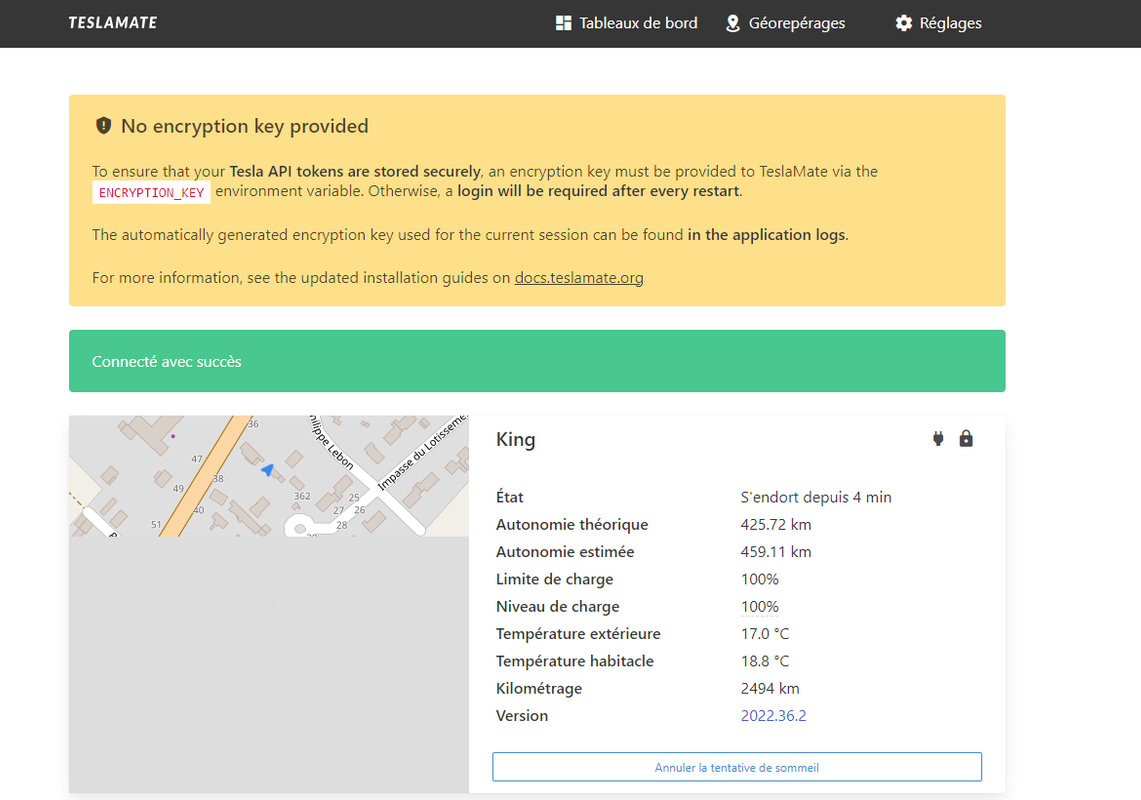 Tu sais si on peut voir la degradation de la batterie avec teslaMate ?
Code : Tout sélectionner
pi@raspberrypi:~ $ sudo pip3 install docker-compose
Looking in indexes: https://pypi.org/simple, https://www.piwheels.org/simple
Collecting docker-compose
  Using cached https://www.piwheels.org/simple/docker-compose/docker_compose-1.29.2-py2.py3-none-any.whl (114 kB)
Collecting texttable<2,>=0.9.0
  Using cached https://www.piwheels.org/simple/texttable/texttable-1.6.4-py2.py3-none-any.whl (10 kB)
Collecting docopt<1,>=0.6.1
  Using cached https://www.piwheels.org/simple/docopt/docopt-0.6.2-py2.py3-none-any.whl (13 kB)
Collecting websocket-client<1,>=0.32.0
  Using cached https://www.piwheels.org/simple/websocket-client/websocket_client-0.59.0-py2.py3-none-any.whl (67 kB)
Collecting jsonschema<4,>=2.5.1
  Using cached https://www.piwheels.org/simple/jsonschema/jsonschema-3.2.0-py2.py3-none-any.whl (56 kB)
Collecting docker[ssh]>=5
  Using cached https://www.piwheels.org/simple/docker/docker-6.0.1-py3-none-any.whl (147 kB)
Collecting dockerpty<1,>=0.4.1
  Using cached https://www.piwheels.org/simple/dockerpty/dockerpty-0.4.1-py3-none-any.whl (16 kB)
Requirement already satisfied: distro<2,>=1.5.0 in /usr/lib/python3/dist-packages (from docker-compose) (1.5.0)
Collecting python-dotenv<1,>=0.13.0
  Using cached https://www.piwheels.org/simple/python-dotenv/python_dotenv-0.21.0-py3-none-any.whl (18 kB)
Collecting PyYAML<6,>=3.10
  Using cached https://www.piwheels.org/simple/pyyaml/PyYAML-5.4.1-cp39-cp39-linux_armv7l.whl (45 kB)
Requirement already satisfied: requests<3,>=2.20.0 in /usr/lib/python3/dist-packages (from docker-compose) (2.25.1)
Collecting requests<3,>=2.20.0
  Using cached https://www.piwheels.org/simple/requests/requests-2.28.1-py3-none-any.whl (62 kB)
Requirement already satisfied: urllib3>=1.26.0 in /usr/lib/python3/dist-packages (from docker[ssh]>=5->docker-compose) (1.26.5)
Collecting packaging>=14.0
  Using cached https://www.piwheels.org/simple/packaging/packaging-21.3-py3-none-any.whl (40 kB)
Collecting paramiko>=2.4.3
  Using cached https://www.piwheels.org/simple/paramiko/paramiko-2.12.0-py2.py3-none-any.whl (213 kB)
Requirement already satisfied: six>=1.3.0 in /usr/lib/python3/dist-packages (from dockerpty<1,>=0.4.1->docker-compose) (1.16.0)
Collecting attrs>=17.4.0
  Using cached https://www.piwheels.org/simple/attrs/attrs-22.1.0-py2.py3-none-any.whl (58 kB)
Requirement already satisfied: setuptools in /usr/lib/python3/dist-packages (from jsonschema<4,>=2.5.1->docker-compose) (52.0.0)
Collecting pyrsistent>=0.14.0
  Using cached https://www.piwheels.org/simple/pyrsistent/pyrsistent-0.19.2-cp39-cp39-linux_armv7l.whl (102 kB)
Collecting charset-normalizer<3,>=2
  Using cached https://www.piwheels.org/simple/charset-normalizer/charset_normalizer-2.1.1-py3-none-any.whl (39 kB)
Requirement already satisfied: certifi>=2017.4.17 in /usr/lib/python3/dist-packages (from requests<3,>=2.20.0->docker-compose) (2020.6.20)
Requirement already satisfied: idna<4,>=2.5 in /usr/lib/python3/dist-packages (from requests<3,>=2.20.0->docker-compose) (2.10)
Collecting pyparsing!=3.0.5,>=2.0.2
  Using cached https://www.piwheels.org/simple/pyparsing/pyparsing-3.0.9-py3-none-any.whl (98 kB)
Requirement already satisfied: cryptography>=2.5 in /usr/lib/python3/dist-packages (from paramiko>=2.4.3->docker[ssh]>=5->docker-compose) (3.3.2)
Collecting bcrypt>=3.1.3
  Using cached bcrypt-4.0.1.tar.gz (25 kB)
  Installing build dependencies ... done
  Getting requirements to build wheel ... done
  Preparing metadata (pyproject.toml) ... done
Collecting pynacl>=1.0.1
  Using cached https://www.piwheels.org/simple/pynacl/PyNaCl-1.5.0-cp39-cp39-linux_armv7l.whl (585 kB)
Collecting cffi>=1.4.1
  Using cached https://www.piwheels.org/simple/cffi/cffi-1.15.1-cp39-cp39-linux_armv7l.whl (364 kB)
Collecting pycparser
  Using cached https://www.piwheels.org/simple/pycparser/pycparser-2.21-py2.py3-none-any.whl (119 kB)
Building wheels for collected packages: bcrypt
  Building wheel for bcrypt (pyproject.toml) ... error
  error: subprocess-exited-with-error

  × Building wheel for bcrypt (pyproject.toml) did not run successfully.
  │ exit code: 1
  ╰─> [58 lines of output]
      running bdist_wheel
      running build
      running build_py
      creating build
      creating build/lib.linux-armv7l-cpython-39
      creating build/lib.linux-armv7l-cpython-39/bcrypt
      copying src/bcrypt/__about__.py -> build/lib.linux-armv7l-cpython-39/bcrypt
      copying src/bcrypt/__init__.py -> build/lib.linux-armv7l-cpython-39/bcrypt
      running egg_info
      writing src/bcrypt.egg-info/PKG-INFO
      writing dependency_links to src/bcrypt.egg-info/dependency_links.txt
      writing requirements to src/bcrypt.egg-info/requires.txt
      writing top-level names to src/bcrypt.egg-info/top_level.txt
      reading manifest file 'src/bcrypt.egg-info/SOURCES.txt'
      reading manifest template 'MANIFEST.in'
      warning: no previously-included files found matching 'requirements.txt'
      warning: no previously-included files found matching 'release.py'
      warning: no previously-included files found matching 'mypy.ini'
      warning: no previously-included files matching '*' found under directory '.github'
      warning: no previously-included files matching '*' found under directory '.circleci'
      warning: no previously-included files found matching 'src/_bcrypt/target'
      warning: no previously-included files matching '*' found under directory 'src/_bcrypt/target'
      adding license file 'LICENSE'
      writing manifest file 'src/bcrypt.egg-info/SOURCES.txt'
      copying src/bcrypt/_bcrypt.pyi -> build/lib.linux-armv7l-cpython-39/bcrypt
      copying src/bcrypt/py.typed -> build/lib.linux-armv7l-cpython-39/bcrypt
      running build_ext
      running build_rust

          =============================DEBUG ASSISTANCE=============================
          If you are seeing a compilation error please try the following steps to
          successfully install bcrypt:
          1) Upgrade to the latest pip and try again. This will fix errors for most
             users. See: https://pip.pypa.io/en/stable/installing/#upgrading-pip
          2) Ensure you have a recent Rust toolchain installed. bcrypt requires
             rustc >= 1.56.0.

          Python: 3.9.2
          platform: Linux-5.15.61-v7l+-armv7l-with-glibc2.31
          pip: n/a
          setuptools: 65.5.1
          setuptools_rust: 1.5.2
          rustc: n/a
          =============================DEBUG ASSISTANCE=============================

      error: can't find Rust compiler

      If you are using an outdated pip version, it is possible a prebuilt wheel is available for this package but pip is not able to install from it. Installing from the wheel would avoid the need for a Rust compiler.

      To update pip, run:

          pip install --upgrade pip

      and then retry package installation.

      If you did intend to build this package from source, try installing a Rust compiler from your system package manager and ensure it is on the PATH during installation. Alternatively, rustup (available at https://rustup.rs) is the recommended way to download and update the Rust compiler toolchain.

      This package requires Rust >=1.56.0.
      [end of output]

  note: This error originates from a subprocess, and is likely not a problem with pip.
  ERROR: Failed building wheel for bcrypt
Failed to build bcrypt
ERROR: Could not build wheels for bcrypt, which is required to install pyproject.toml-based projects
pi@raspberrypi:~ $



Code : Tout sélectionner
apt install docker-compose J'avais également le problème "rust" (pi3, image raspios buster du 22/09/2022), ça a décoincé l'installation (ne pas oublier de rajouter un "sudo" devant la commande bien sûr).